
Description
Who made this
- Published in Shonen West Magazine
- 80+ manga pages a month, no assistants
- Teaching lineart and composition since 16
- ★ 5.0 from 11 verified commission clients
A set of 7 workflow shortcuts for Clip Studio Paint, built from the steps that came up on every single piece: centering an object on canvas, committing to one version of a line after testing two, flood-filling a selection without hand-painting it, building a shadow layer from scratch, cycling sketch tones without digging through the color picker, and adjusting line weight up or down without redrawing anything.
One import, seven tools, permanently living in your Auto Actions palette.
Ideal for:
- Artists who draw the same setup steps on every canvas and want them gone in one click
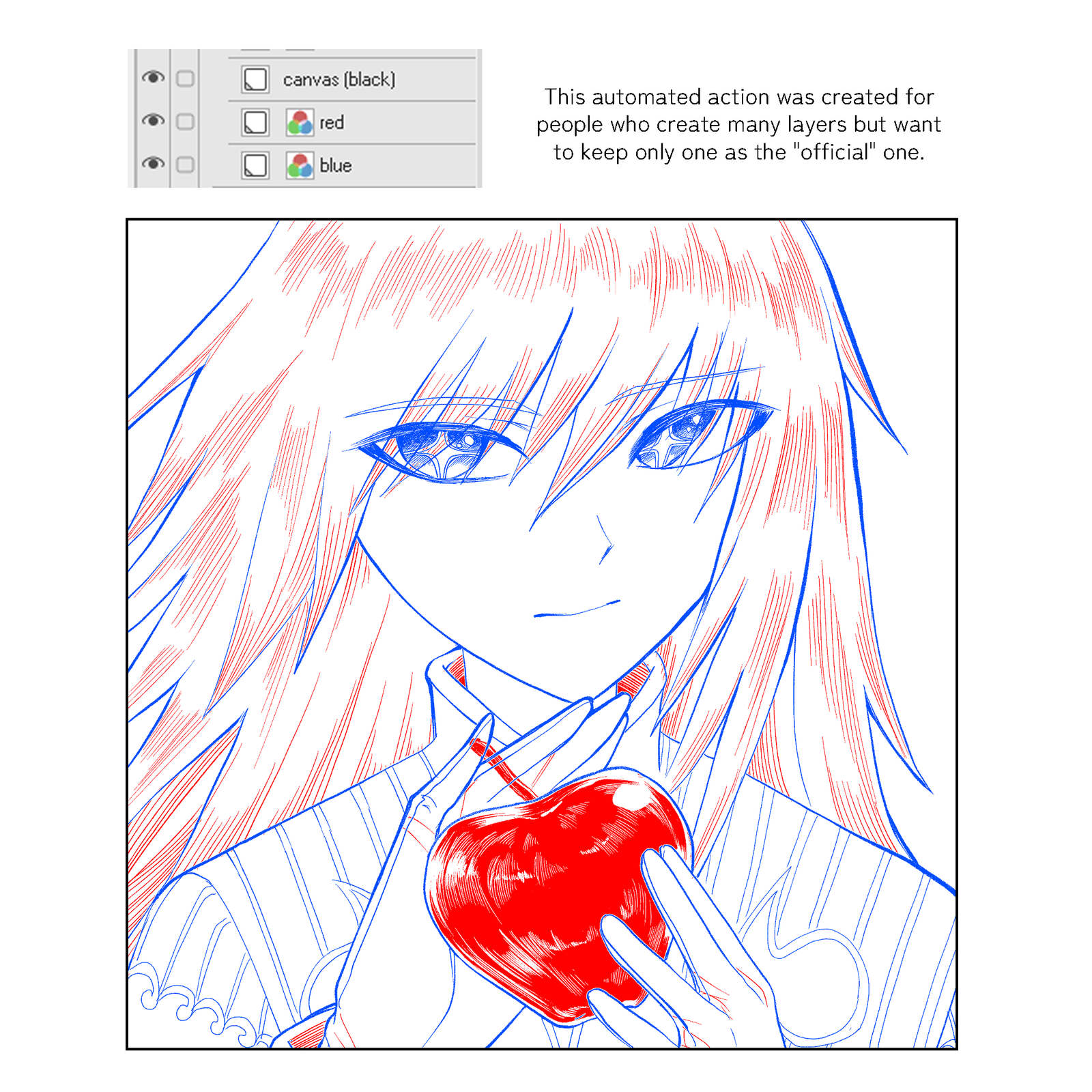
- Anyone who sketches two versions of a line before picking a favorite, cleanup included
- People who end up with five layers all named “line_v2_ACTUALFINAL”
- Anyone whose lineart came out too thick, too thin, or just inconsistent and doesn’t want to redraw it
- Digital artists who want a shadow layer and a clean outline border without building either by hand
Product contents
- Nicomikha’s Auto Actions.laf, one importable file containing:
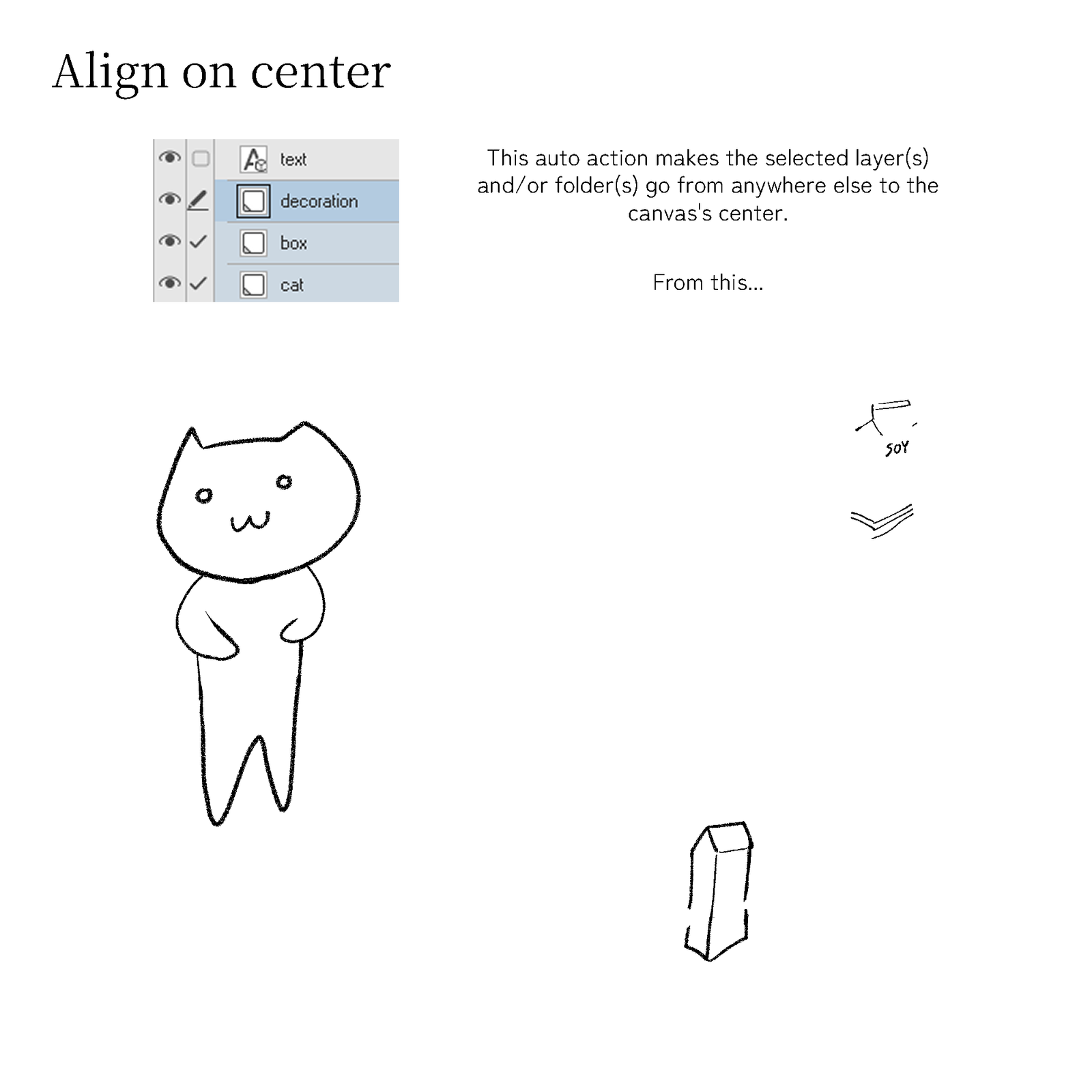
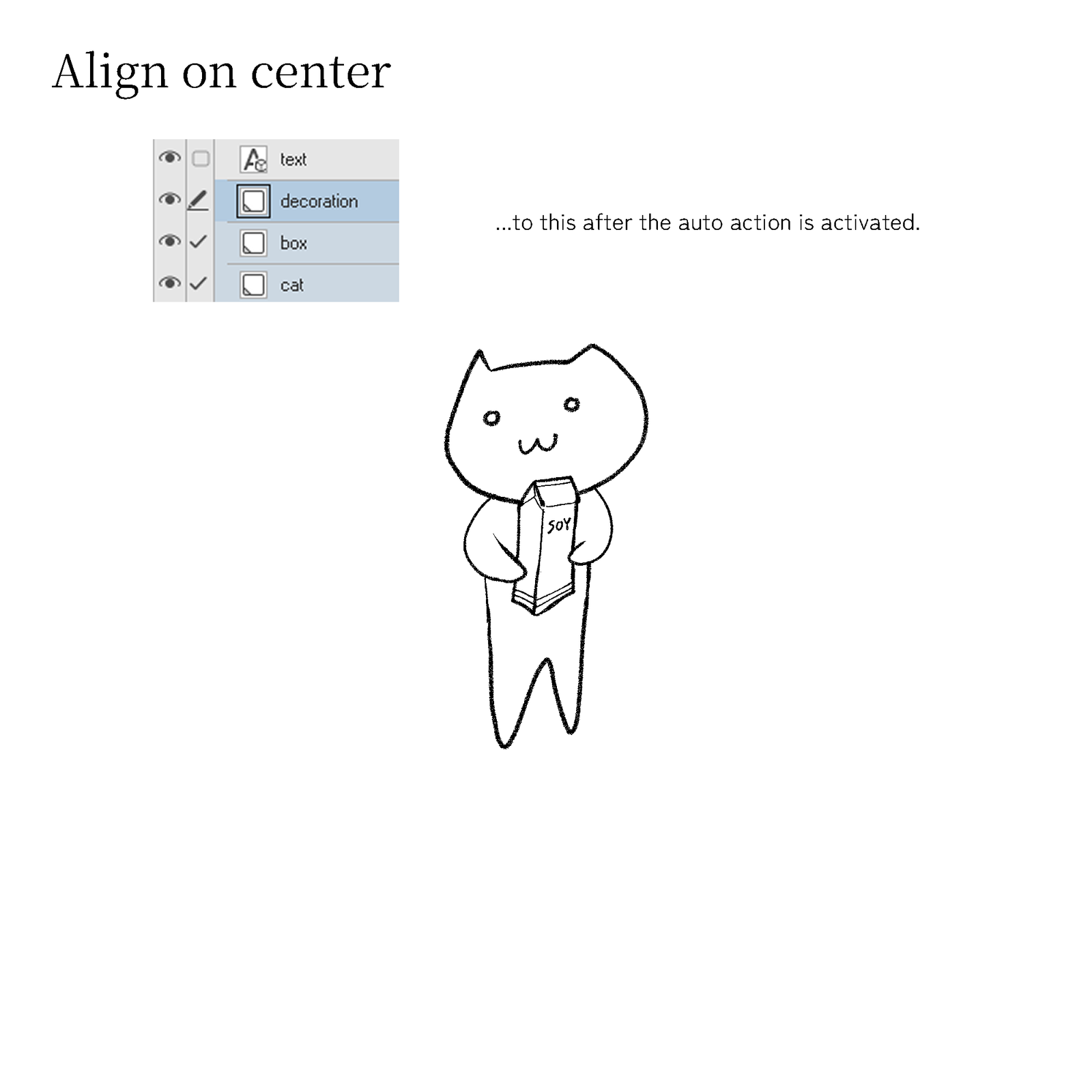
- Align on center
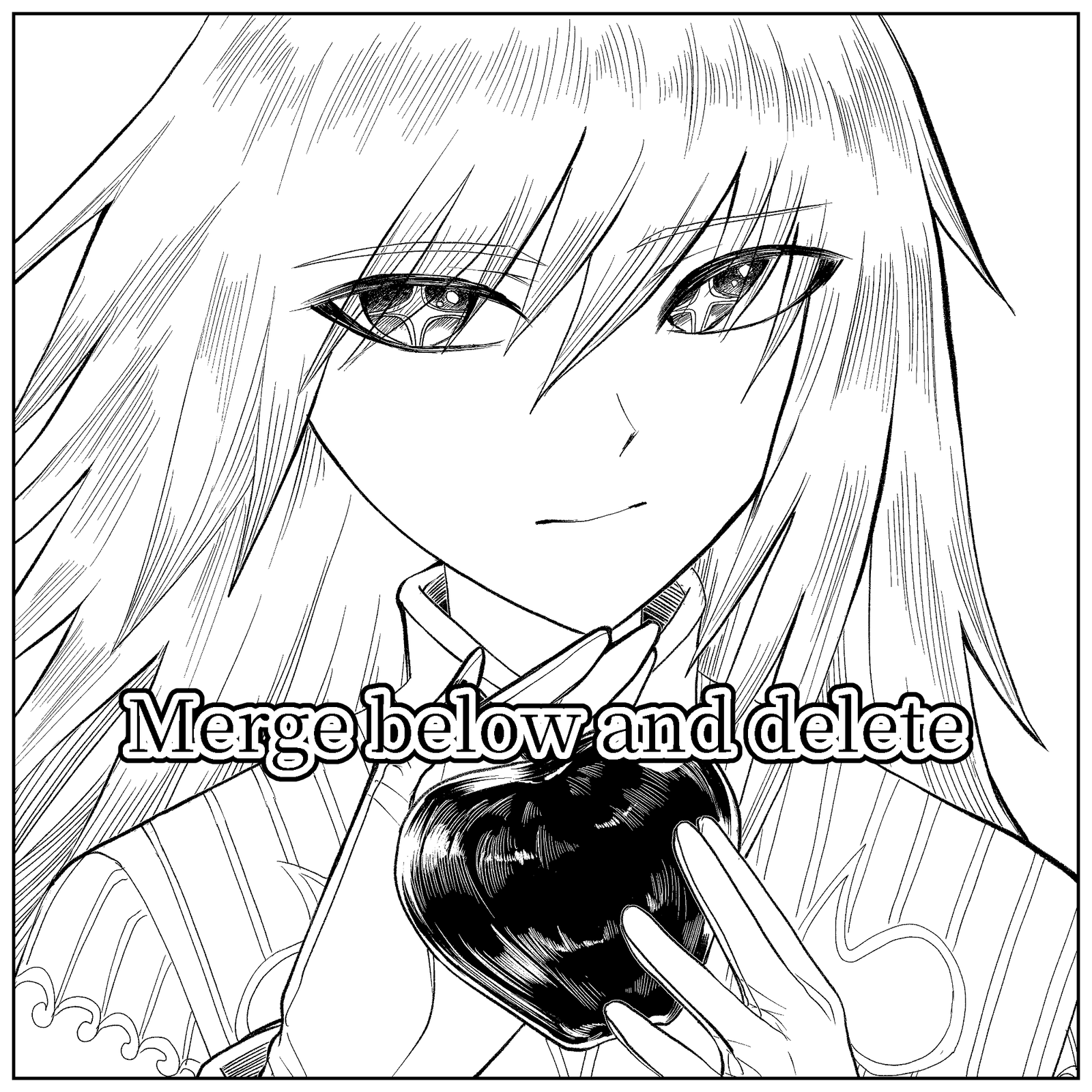
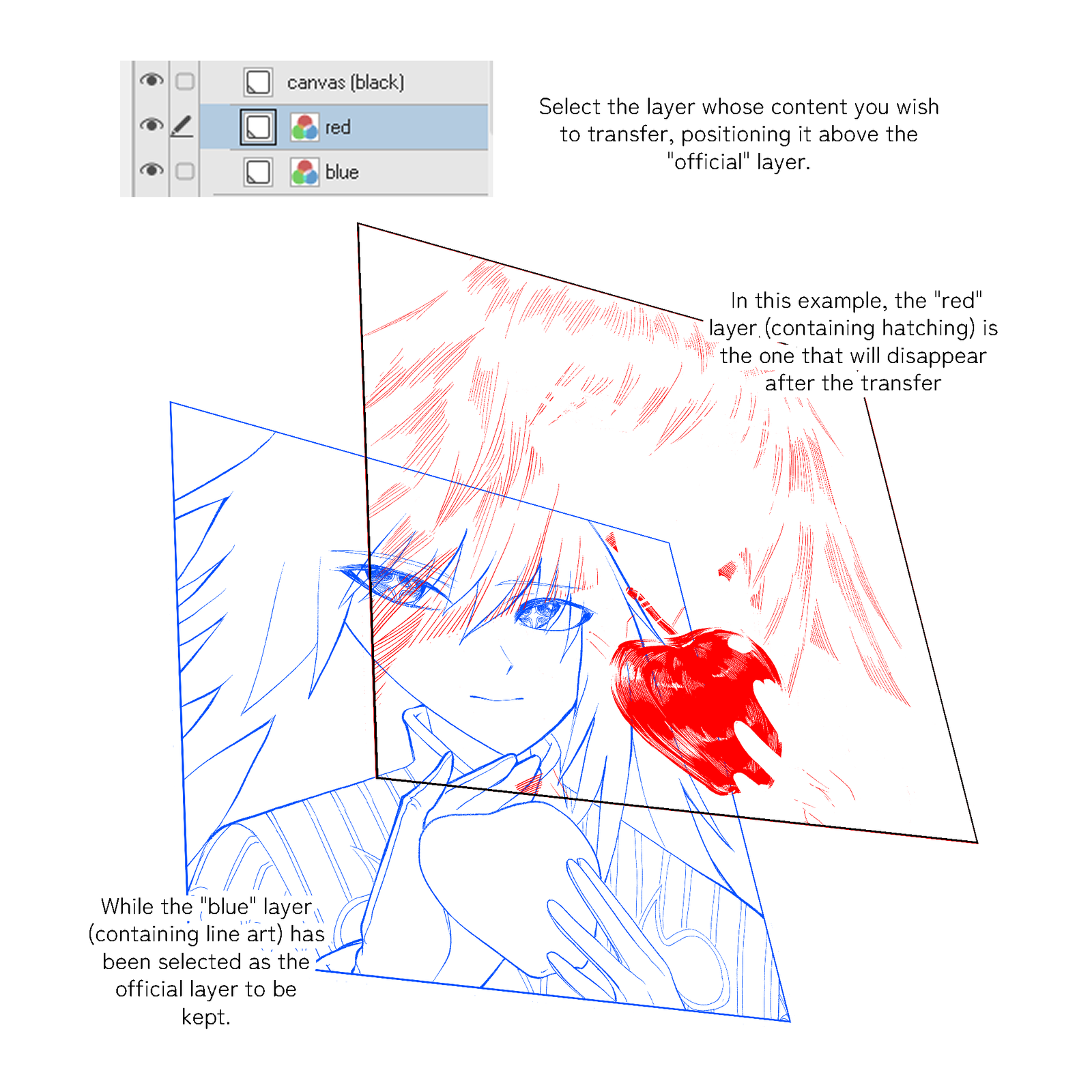
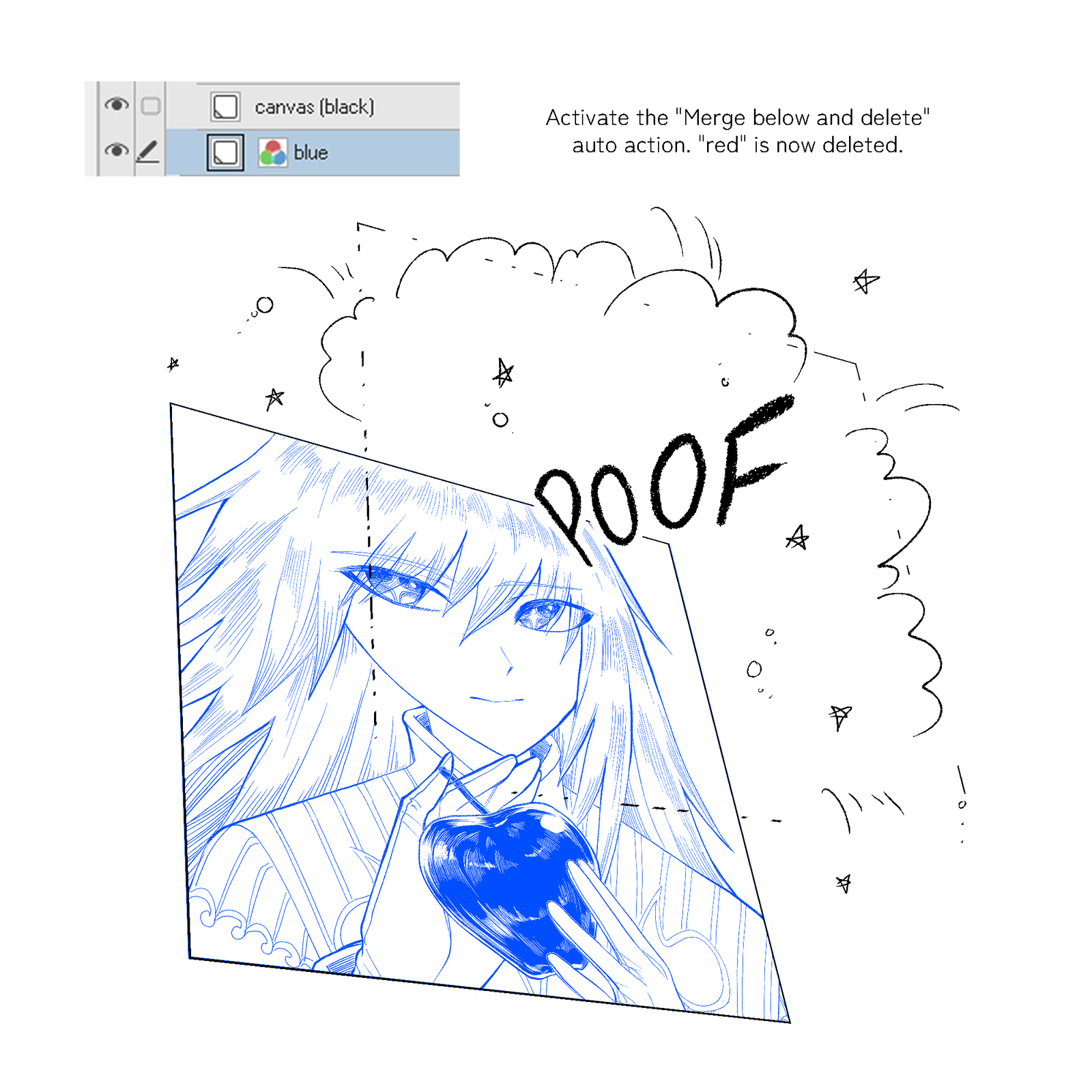
- Merge below and delete
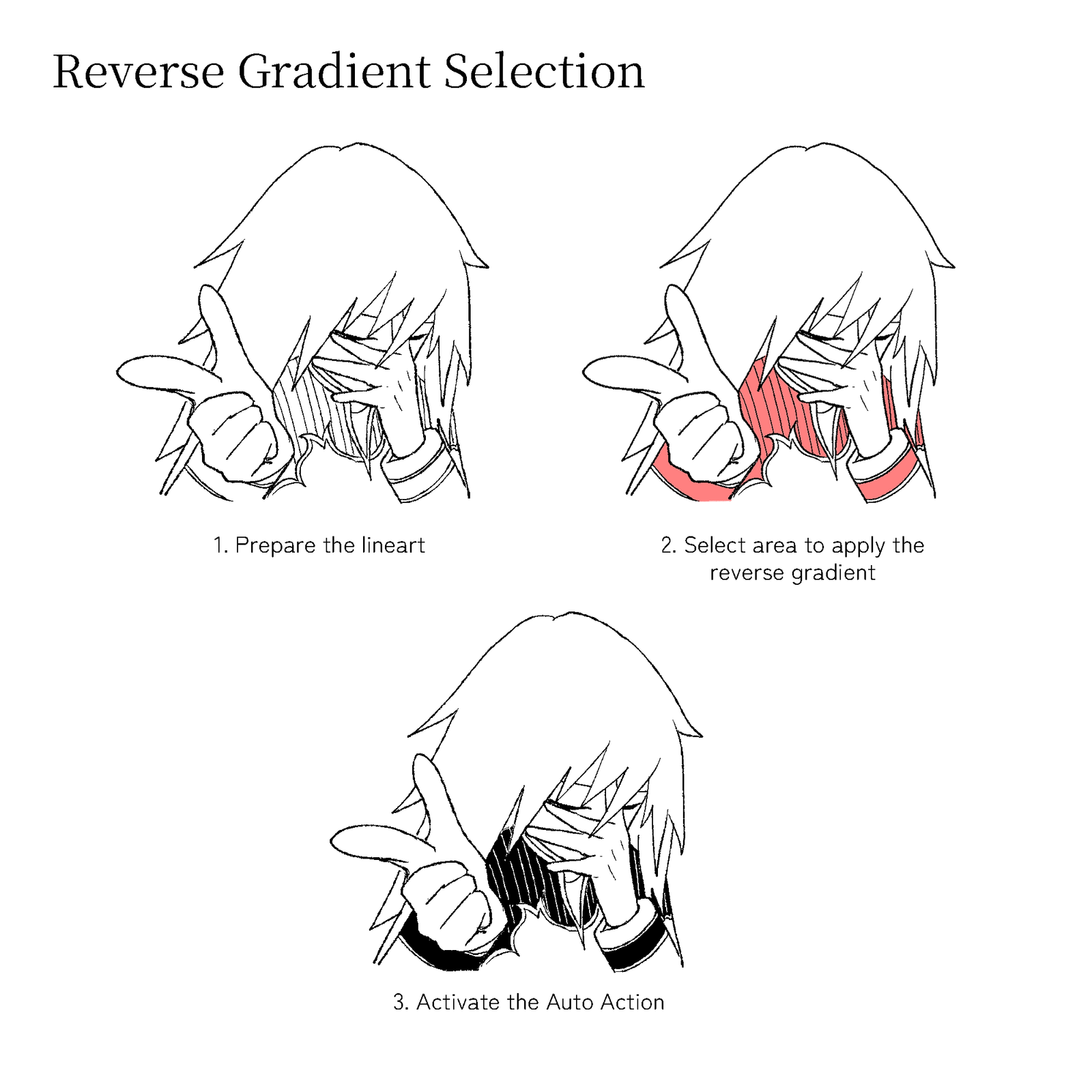
- Reverse Gradient Selection
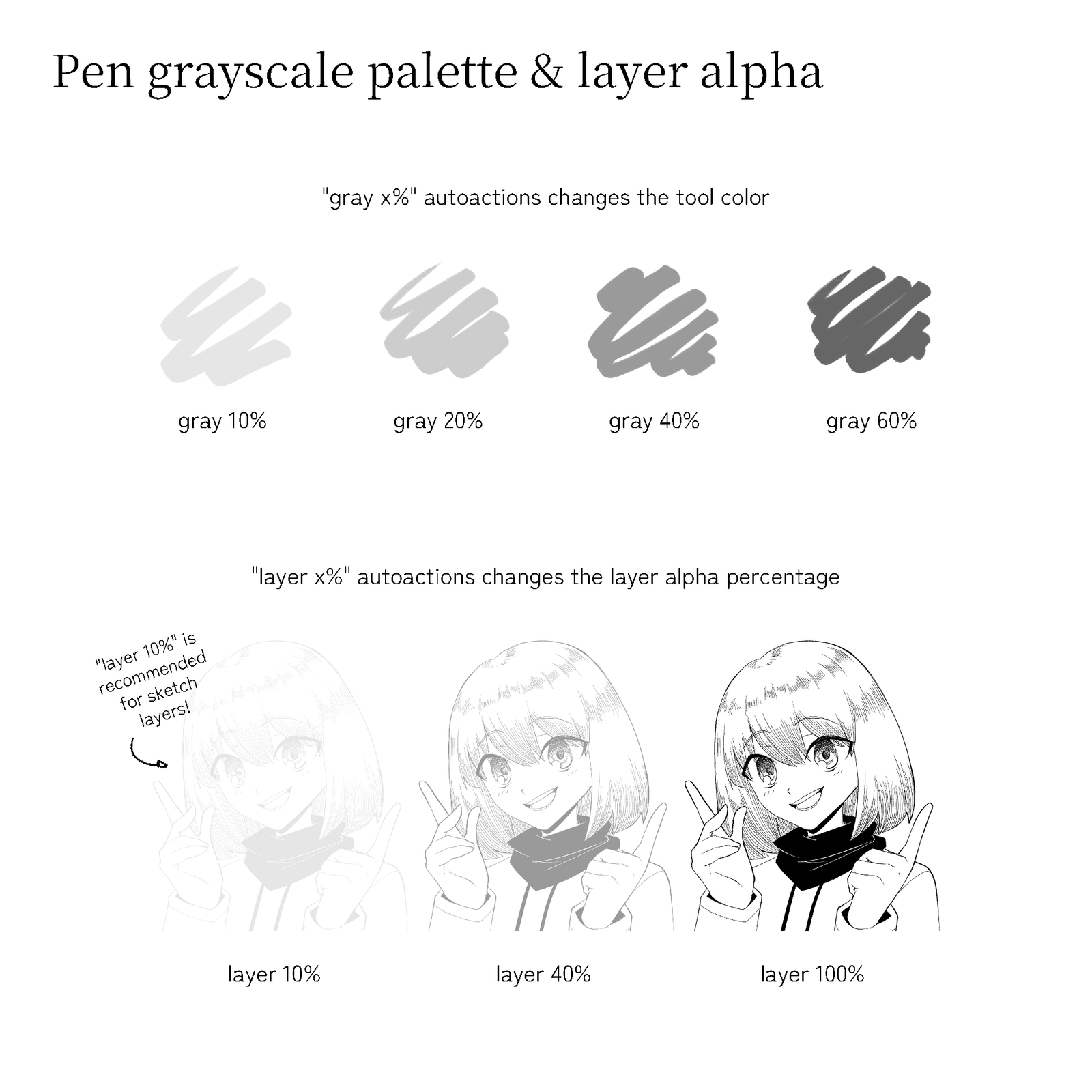
- Pen grayscale palette and layer alpha (gray 10/20/40/60%, layer opacity 10/40/100%)
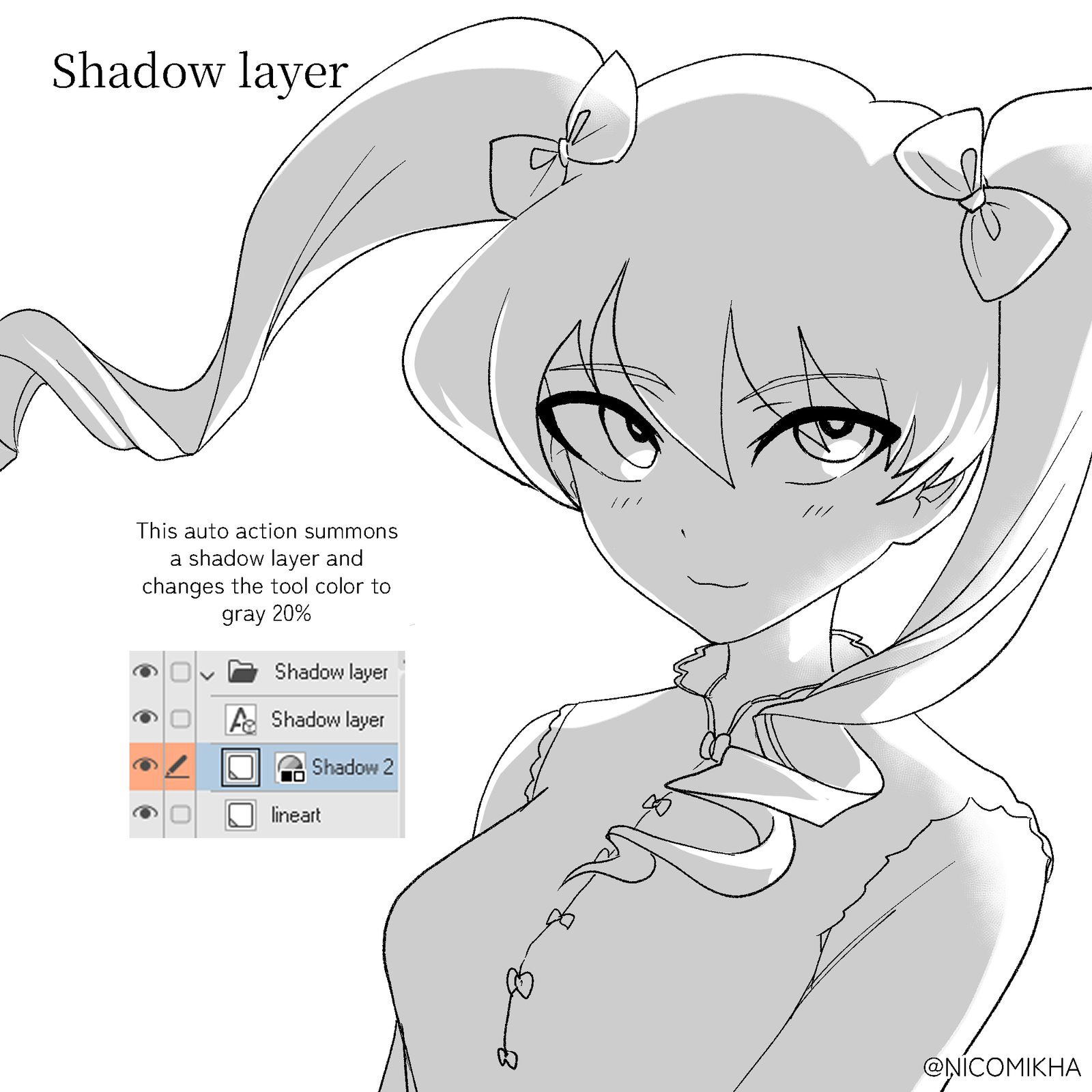
- Shadow layer
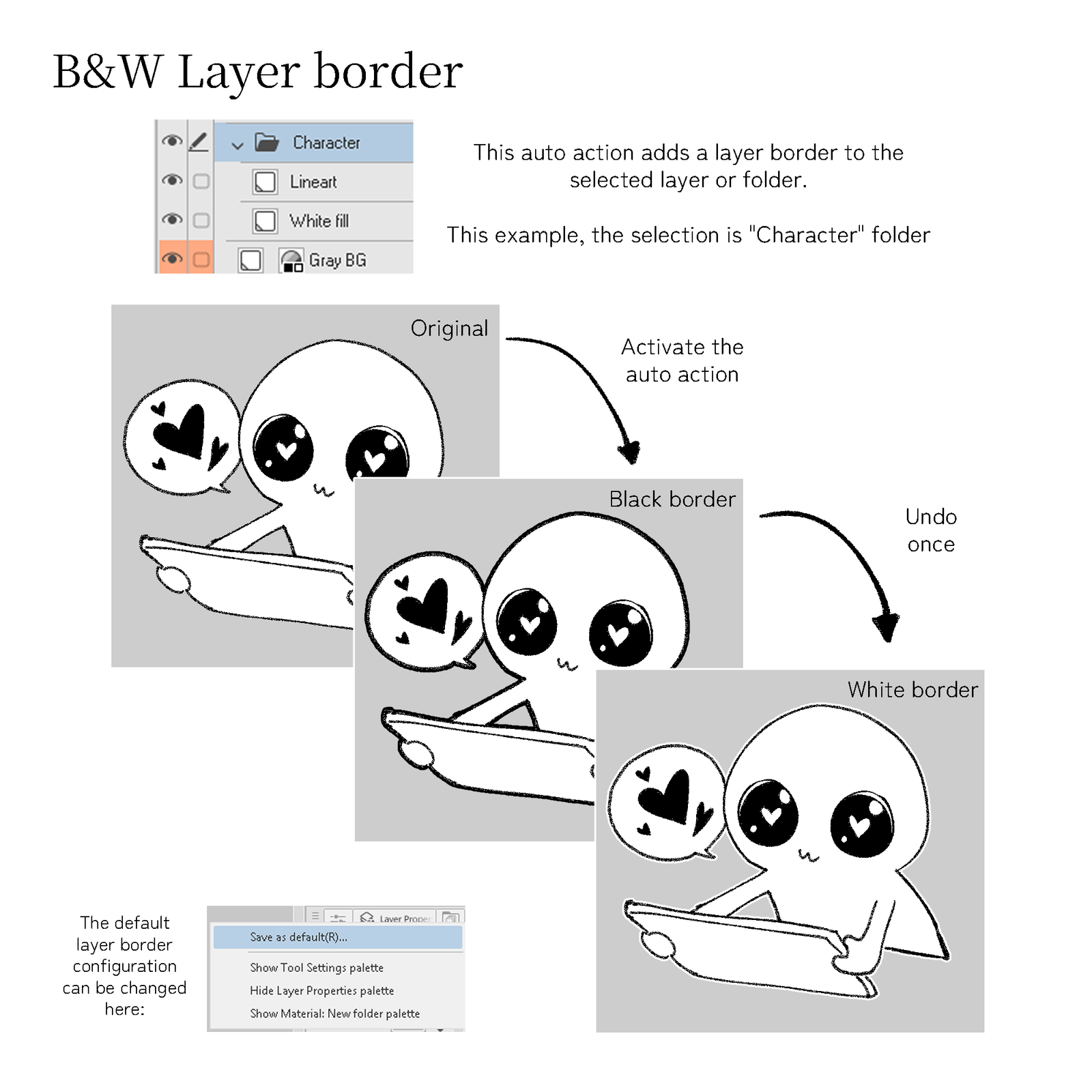
- B&W Layer border
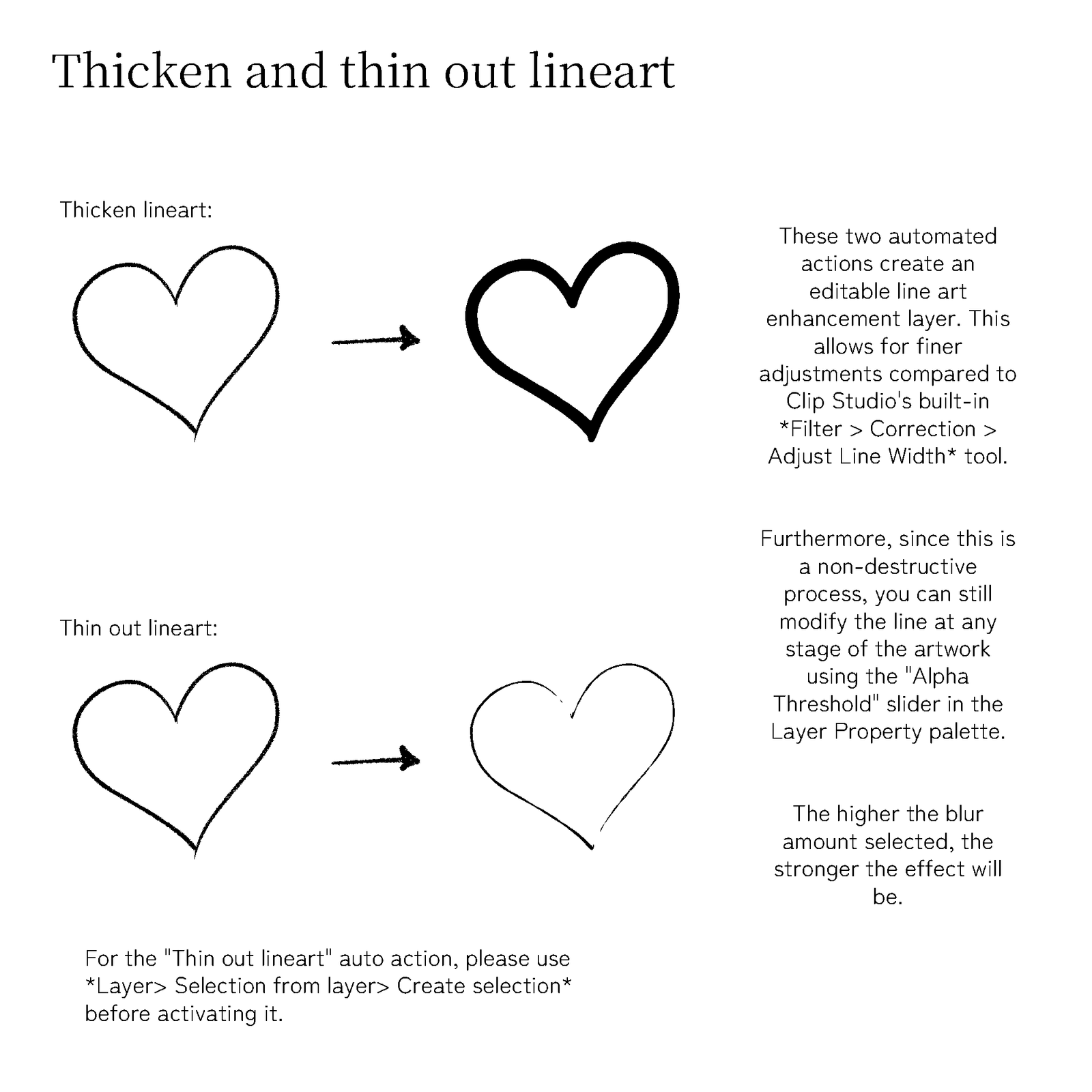
- Thicken and thin out lineart, non-destructive and adjustable after running it
Compatibility
Clip Studio Paint.
Collection
Part of the Material Archive collection.
Reviews
There are no reviews yet.